React Three Fiber Without Jank: Measuring and Optimizing WebGL Scenes
A practical guide to measuring the frame budget and optimizing draw calls, React work, DPR, textures, shadows, shaders, and memory in WebGL scenes.

A smooth 3D scene does not come from stacking tricks. It comes from managing a budget. Every frame must finish its JavaScript work, scene updates, and GPU drawing before the next display refresh arrives.
On a 60 Hz display, that window is roughly 16.7 ms; at 120 Hz it falls to 8.3 ms. These are not universal targets: the device, visual complexity, and type of interaction determine the real budget.
Optimizing React Three Fiber means finding which part of the frame consumes the budget and lowering that cost without losing the visual intent.
01. Start with the frame budget
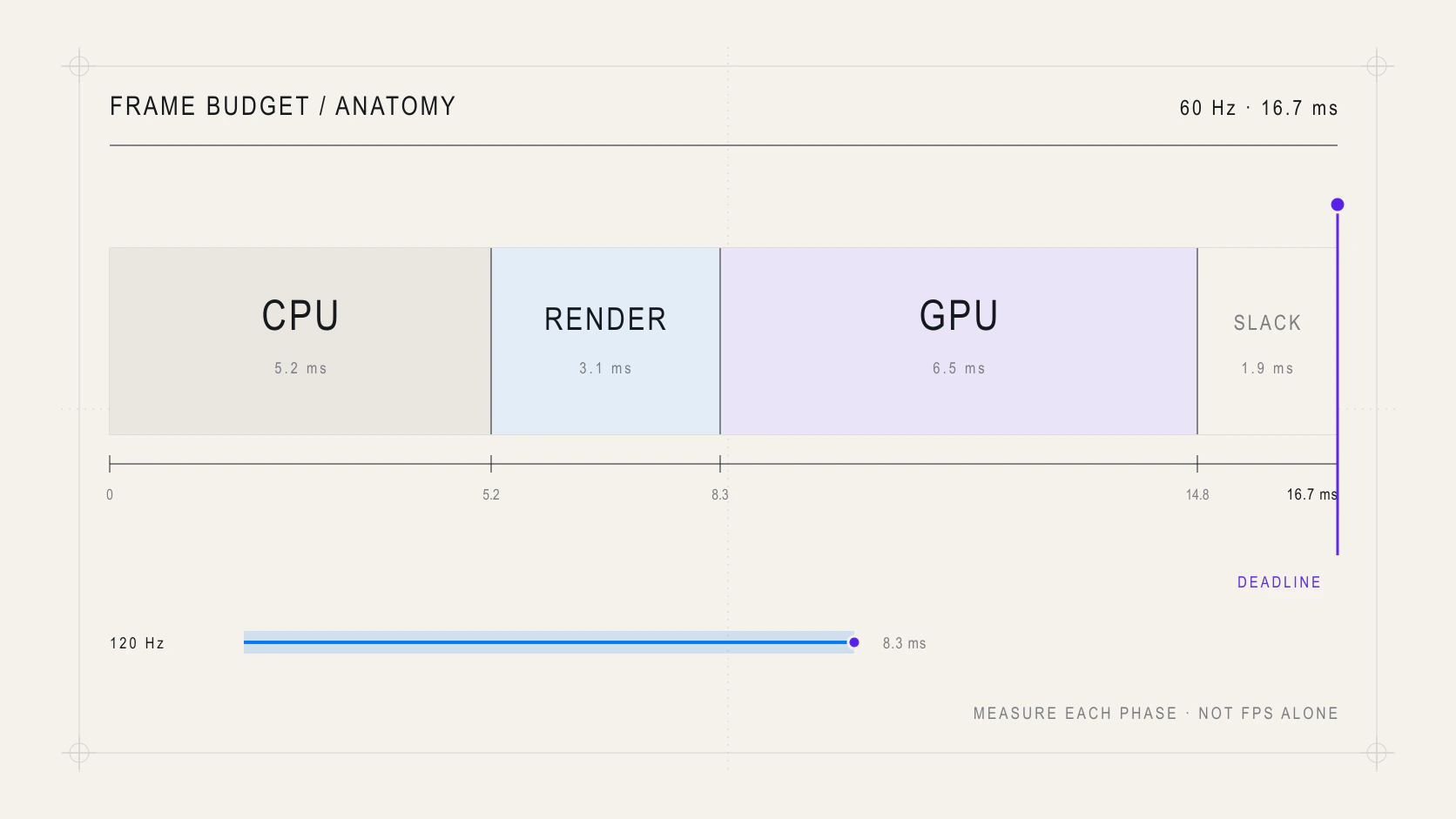 Anatomy of a WebGL frame budget across CPU work, rendering, and the GPU
Low FPS describes a symptom, not a cause. The bottleneck can live in different places:
| Signal | Likely cause | First check |
|---|---|---|
| JavaScript takes too long | calculations, allocations, or React renders | DevTools Performance |
| too many draw calls | too many separate objects or materials | gl.info.render.calls |
| too many triangles | denser geometry than the view needs | gl.info.render.triangles |
| the GPU stalls at higher DPR | fill rate, shadows, or post-processing | compare DPR and resolution |
| memory grows after navigation | textures, materials, or geometry are retained | gl.info.memory |
React Three Fiber exposes the Three.js renderer through useThree. During development, you can sample its counters without updating React state every frame:
function RendererProbe() {
  const gl = useThree((state) => state.gl);
  const lastReport = useRef(0);

  useFrame(() => {
    const now = performance.now();
    if (now - lastReport.current < 1000) return;
    lastReport.current = now;

    console.table({
      calls: gl.info.render.calls,
      triangles: gl.info.render.triangles,
      geometries: gl.info.memory.geometries,
      textures: gl.info.memory.textures,
    });
  });

  return null;
}
Treat this as a temporary probe, not production telemetry. Combine these numbers with a browser profile and test on a representative device; the development laptop is rarely the real limit.
02. Reduce draw calls before reducing detail
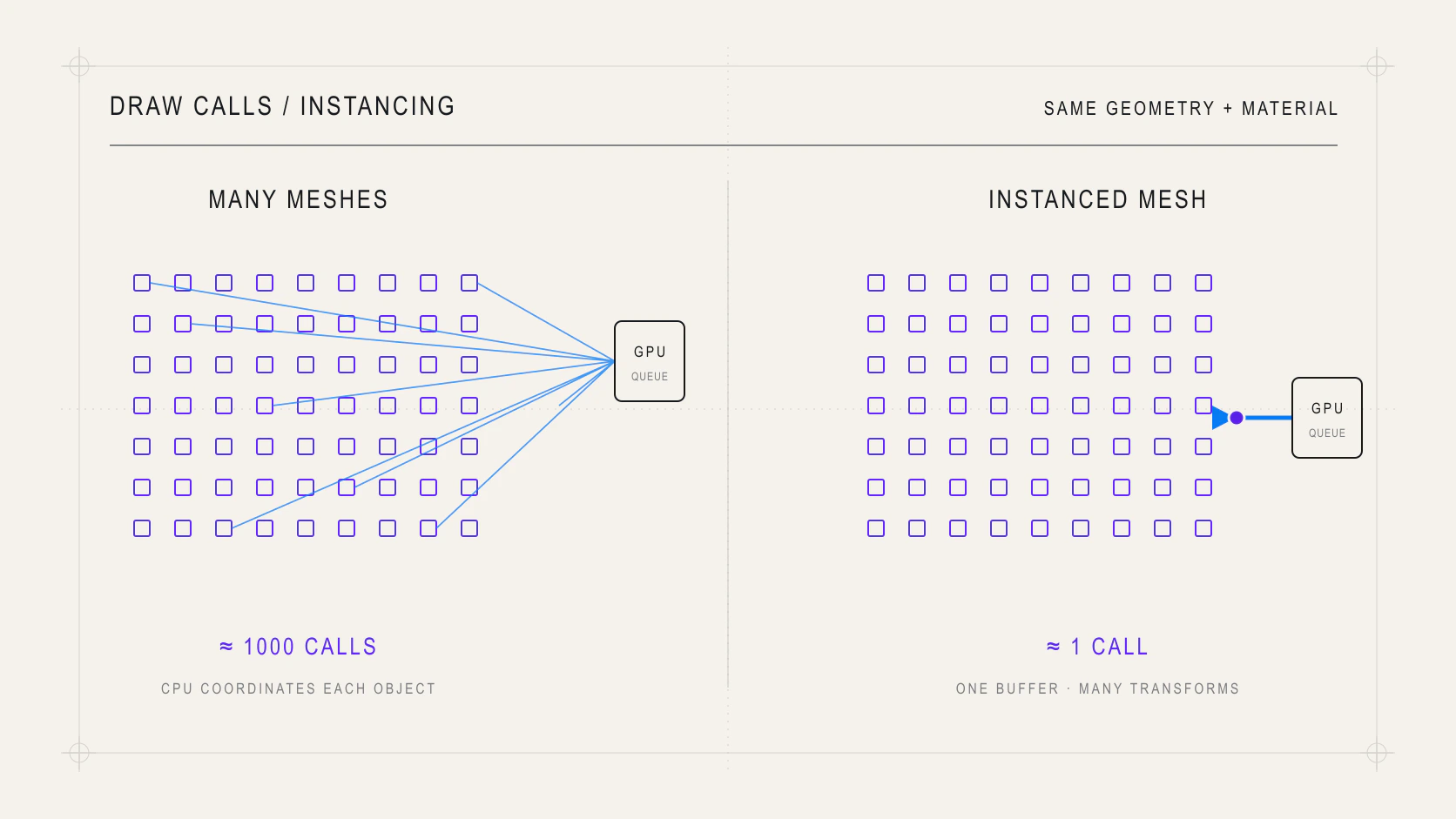 Visual comparison between hundreds of individual meshes and one InstancedMesh
The GPU can process many vertices, but each draw call requires coordination between the CPU and GPU. Hundreds of objects that share one geometry and material are strong candidates for InstancedMesh.
function Field({ count = 1000 }) {
  const mesh = useRef<THREE.InstancedMesh>(null);
  const transform = useMemo(() => new THREE.Object3D(), []);

  useLayoutEffect(() => {
    if (!mesh.current) return;

    for (let index = 0; index < count; index += 1) {
      transform.position.set(
        (index % 40) - 20,
        0,
        Math.floor(index / 40) - 12,
      );
      transform.updateMatrix();
      mesh.current.setMatrixAt(index, transform.matrix);
    }

    mesh.current.instanceMatrix.needsUpdate = true;
    mesh.current.computeBoundingSphere();
  }, [count, transform]);

  return (
    <instancedMesh ref={mesh} args={[undefined, undefined, count]}>
      <boxGeometry args={[0.18, 0.18, 0.18]} />
      <meshStandardMaterial color="#6d4aff" />
    </instancedMesh>
  );
}
Instancing works when instances share geometry and material. For different static objects, consider merging compatible geometries. Share materials and geometries instead of recreating them inside every component.
Do not optimize by object count alone: one mesh with an expensive shader or millions of triangles can still saturate the GPU.
03. Keep per-frame work outside React
useFrame runs inside the render loop. Calling setState there can trigger reconciliation at display speed. For high-frequency animation, mutate Three.js references and reserve React state for semantic UI changes.
function Rotor({ speed = 0.8 }) {
  const group = useRef<THREE.Group>(null);

  useFrame((_, delta) => {
    if (group.current) {
      group.current.rotation.y += speed * delta;
    }
  });

  return <group ref={group}>{/* scene content */}</group>;
}
Using delta keeps motion independent of the frame rate. Also avoid creating vectors, colors, or arrays inside the loop; reuse objects or calculate stable data with useMemo. A tiny allocation repeated thousands of times eventually becomes a garbage-collection pause.
04. Do not render frames nobody can see
An animated scene needs frameloop="always", the usual default. A configurator, product model, or data view that only changes on interaction can render on demand:
function ProductViewer() {
  return (
    <Canvas frameloop="demand" dpr={[1, 1.5]}>
      <Scene />
    </Canvas>
  );
}

function MaterialSync({ color }: { color: string }) {
  const material = useRef<THREE.MeshStandardMaterial>(null);
  const invalidate = useThree((state) => state.invalidate);

  useEffect(() => {
    material.current?.color.set(color);
    invalidate();
  }, [color, invalidate]);

  return <meshStandardMaterial ref={material} />;
}
Declarative changes managed by React Three Fiber request frames when needed. If you mutate an object imperatively, call invalidate() to schedule the next one. Do not combine on-demand rendering with continuous animation unless you define what wakes the loop.
05. Control the cost of every pixel
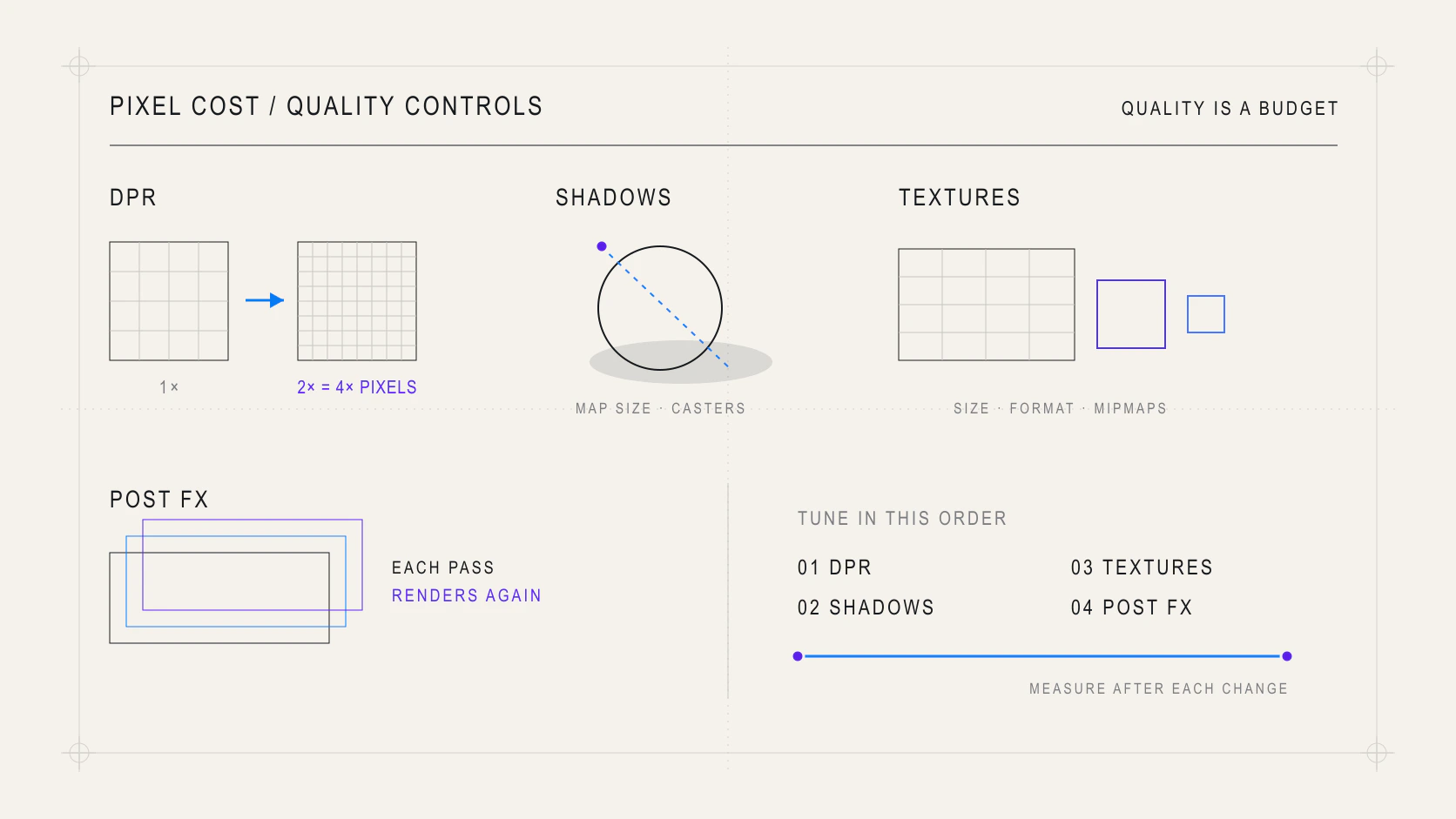 Technical WebGL quality panel with DPR, shadows, textures, and post-processing controls
Doubling DPR can approach four times as many pixels. That is why a scene that runs smoothly on a standard display can drop frames on a high-density display even with the same draw calls.
Order quality decisions by impact:
- cap DPR at a reasonable range;
- reduce the resolution and number of shadow maps;
- limit shadow-casting lights and shadow receivers;
- compress and size textures for their visible use;
- remove post-processing passes that do not justify another full render;
- use levels of detail for distant objects.
Textures often dominate memory and bandwidth. A large image does not become cheap because its network file is small: on the GPU, it expands into a representation suitable for sampling. Match dimensions, format, and mipmaps to the real use case.
06. Shaders: moving work does not remove its cost
A shader can replace thousands of JavaScript updates with parallel GPU work. It is a strong fit for waves, particles, and deformation, but it is not permission to do unlimited work per vertex or fragment.
uniform float uTime;
attribute float phase;

void main() {
  vec3 displaced = position;
  displaced.y += sin(uTime + phase) * 0.08;
  gl_Position = projectionMatrix * modelViewMatrix * vec4(displaced, 1.0);
}
Update existing uniforms instead of rebuilding materials. Avoid multiplying shader variants through changing defines: every combination can require another program and compilation. Profile vertex-bound and fill-rate-bound scenes separately.
07. Release resources and optimize in order
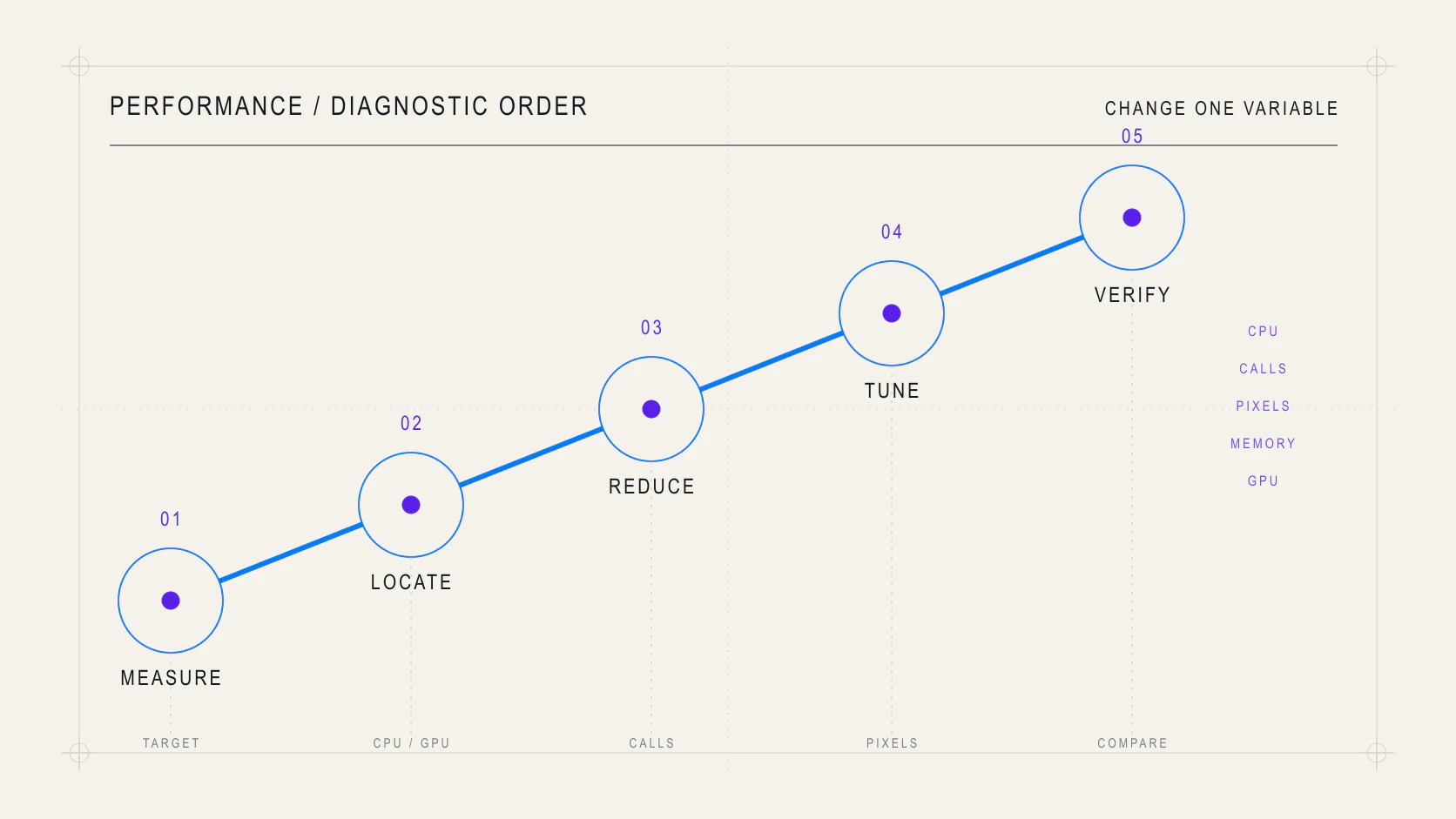 Editorial sequence for diagnosing and optimizing a React Three Fiber scene
Three.js cannot automatically release every GPU resource when a JavaScript reference disappears. Objects created manually outside the reconciler—or retained in custom caches—need explicit ownership and dispose() calls for geometries, materials, textures, and render targets.
Before calling an optimization complete, follow this order:
- define a device, scene, and measurable target;
- identify whether the limit is CPU, draw calls, geometry, pixels, or memory;
- reduce structural work: React renders, objects, materials, and draw calls;
- tune DPR, shadows, textures, and post-processing;
- remove allocations from the loop and stabilize resources;
- optimize shaders only when the profile points to the GPU;
- measure again and compare visual quality.
The best result is not the highest FPS in an empty scene. It is a consistent experience that preserves its visual hierarchy within the budget of the devices that actually run it.